
 Nginx安装
# 压缩包安装步骤
# 1.下载NGINX安装包
官网:https://nginx.org/en/download.html (opens new window)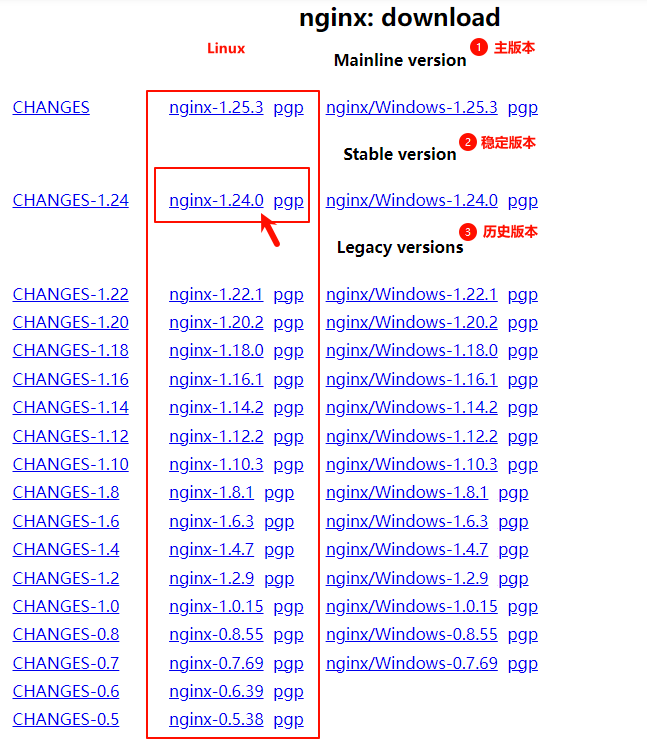
# 2.在线安装依赖
由于nginx是基于c语言开发的,所以需要安装c语言的编译环境,及正则表达式库等第三方依赖库。
#安装nginx所需要的依赖包
yum install -y gcc-c++	zlib zlib-devel	openssl openssl-devel pcre pcre-devel
1
2
2
# 3.解压压缩包
进入压缩包所在目录,解压安装包
#进入所在目录
cd /压缩包所在目录
#解压安装包
tar -zxvf nginx-1.24.0.tar.gz -C /解压目录
1
2
3
4
2
3
4
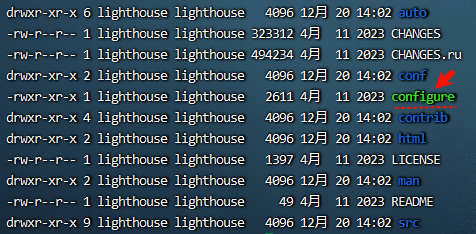
进入解压目录
#进入nginx目录
cd /usr/local/nginx-1.24.0
1
2
2
# 4.配置Nginx编译环境
执行配置脚本,--prefix是指定安装目录
#执行配置脚本 --prefix是指定安装目录
./configure --prefix=/usr/local/soft/nginx
1
2
2
如果遇到报错“./configure: error: C compiler cc is not found”
yum -y install gcc gcc-c++ autoconf automake make
1
# 5.编译安装
#对nginx编译和安装
make & make install
1
2
2
这时在安装目录会多出一个文件夹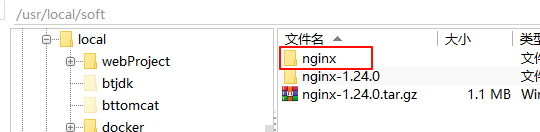
启动
#启动脚本是在
# /usr/local/nginx/sbin/nginx
#启动,
/usr/local/soft/nginx/sbin/nginx -c /usr/local/soft/nginx/conf/nginx.conf
#停止
/usr/local/soft/nginx/sbin/nginx -s stop
#重载
/usr/local/soft/nginx/sbin/nginx -s reload
#杀掉nginx
/usr/local/soft/nginx/sbin/nginx -s quit
1
2
3
4
5
6
7
8
9
10
2
3
4
5
6
7
8
9
10
查询nginx是否启动:
ps -ef | grep nginx
1
注意:nginx服务启动后,默认就会有两个进程。
启动之后,我们可以直接访问Nginx的80端口, http://192.168.200.200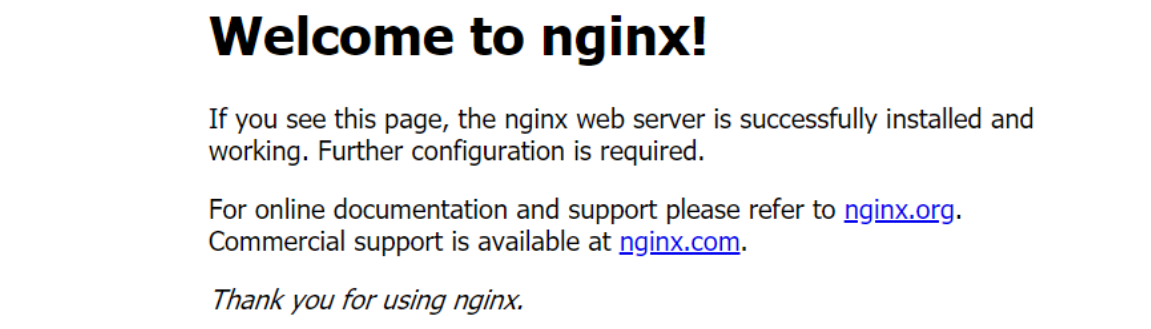
# 6.更多设置
关闭防火墙
#临时关闭防火墙
systemctl stop firewalld.service
#永久关闭防火墙
systemctl disable firewalld.service
1
2
3
4
2
3
4
开放80端口
firewall-cmd --zone=public --add-port=80/tcp --permanent
firewall-cmd --reload
1
2
2
设置nginx 的开机启动
vim /etc/rc.local
#文本底部追加
/usr/local/soft/nginx/sbin/nginx
1
2
3
2
3
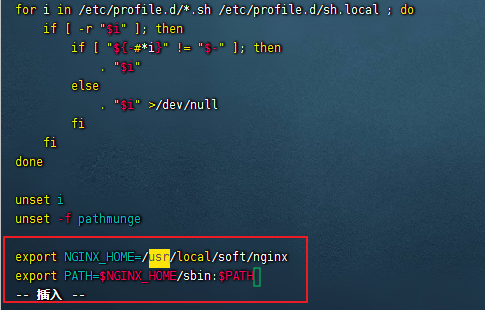
配置环境变量,方便全局调用Nginx命令
#打开/etc/profile 文件
vim /etc/profile
#添加nginx路径
export NGINX_HOME=/usr/local/soft/nginx
export PATH=$NGINX_HOME/sbin:$PATH
1
2
3
4
5
2
3
4
5
刷新环境变量
source /etc/profile
1
查看效果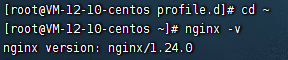
上次更新: 2023/12/29 11:32:56