
 MCP 连接数据库
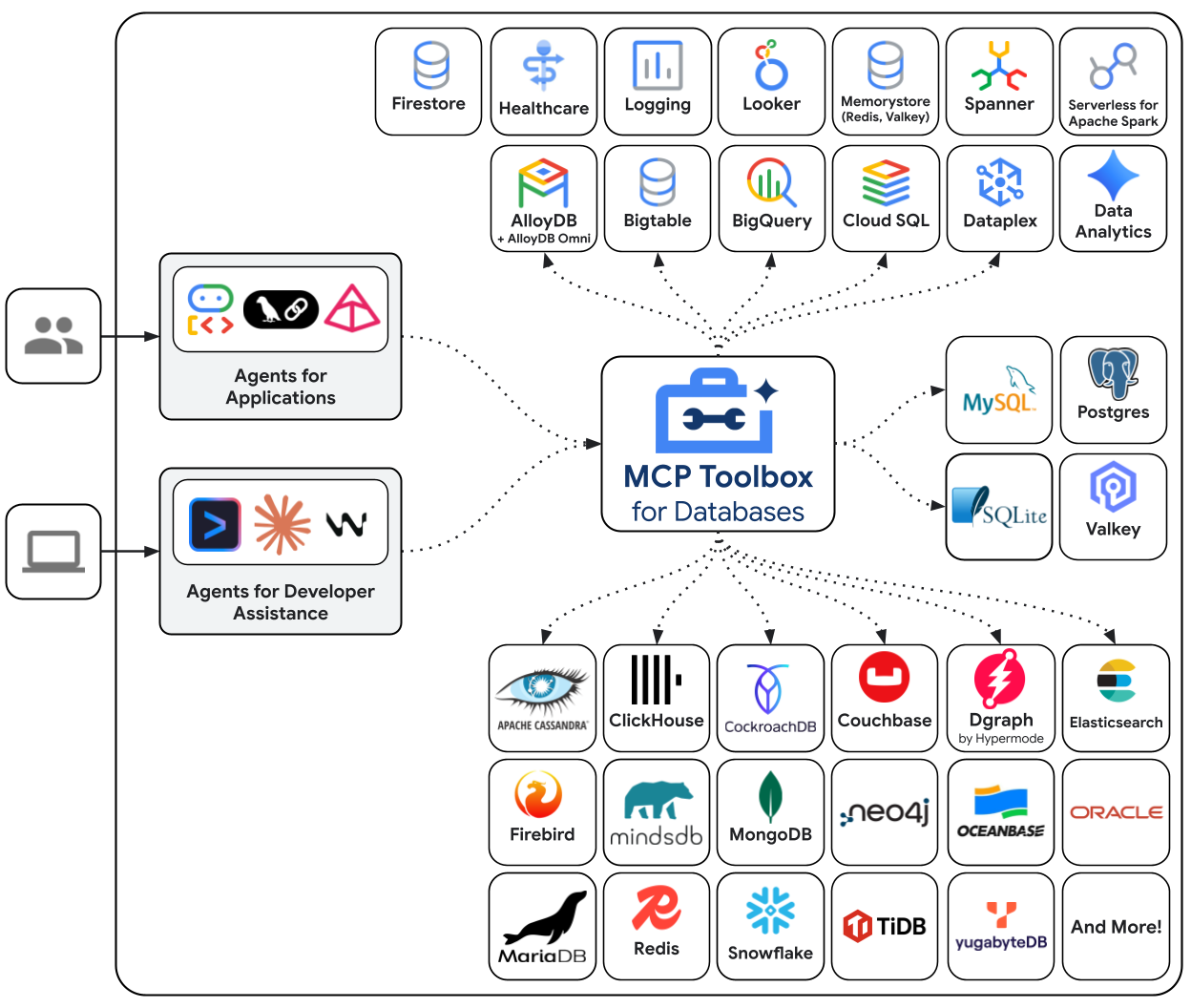
记录一下使用mcp连接各种数据源的方式,这里选用的mcp插件是Google的开源插件genai-toolbox
github:https://github.com/googleapis/genai-toolbox (opens new window)
官网:https://googleapis.github.io/genai-toolbox/getting-started/introduction/ (opens new window)
# 下载
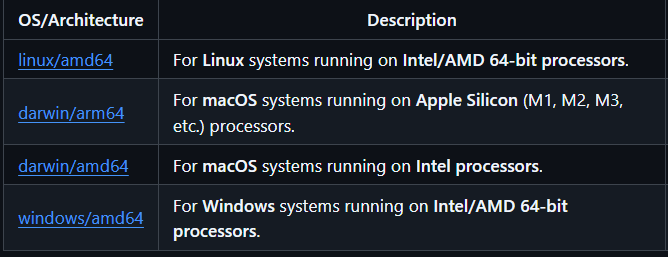
提供了四个系统版本的,按需选择,下载下来就是一个可执行文件,无需安装
# 启动
/toolbox.exe --tools-file "tools.yaml"
1
./toolbox --tools-file "tools.yaml"
1
--tools-file:必选,指定配置文件--ui:可选,以UI界面启动--stdio:可选,使用标准传输协议,使用mcp连接的时候必选
# 配置
这个工具基本是配置驱动,可配置项很强大,可以做到非常细粒度的范围及权限控制,以tool为单位设计mcp能力,下面以MySQL为例,具体可以查看官方文档 (opens new window)
# 配置格式
官方默认的是以下格式,通过---进行分割每个小组
kind: sources
name: my-mysql-source
type: mysql
host: 127.0.0.1
port: 3306
database: my_db
user: ${USER_NAME}
password: ${PASSWORD}
# Optional TLS and other driver parameters. For example, enable preferred TLS:
# queryParams:
#     tls: preferred
queryTimeout: 30s # Optional: query timeout duration
---
kind: tools
name: execute_sql_tool
type: mysql-execute-sql
source: my-mysql-instance
description: Use this tool to execute sql statement.
1
2
3
4
5
6
7
8
9
10
11
12
13
14
15
16
17
18
2
3
4
5
6
7
8
9
10
11
12
13
14
15
16
17
18
不习惯的可以用下面这种,我个人也比较喜欢用这种方式:
sources:
  my-mysql-source:
    type: mysql
    host: 127.0.0.1
    port: 3306
    database: my_db
    user: ${USER_NAME}
    password: ${PASSWORD}
    # Optional TLS and other driver parameters. For example, enable preferred TLS:
    # queryParams:
    #     tls: preferred
    queryTimeout: 30s # Optional: query timeout duration

tools:
  execute_sql_tool:
    type: mysql-execute-sql
    source: my-mysql-source
    description: Use this tool to execute sql statement.
1
2
3
4
5
6
7
8
9
10
11
12
13
14
15
16
17
18
2
3
4
5
6
7
8
9
10
11
12
13
14
15
16
17
18
# 简单配置
sources:
  yuba:
    type: mysql
    host: 10.10.10.66
    port: 3306
    database: yuba
    user: toolbox_mcp
    password: toolbox_mcp
    # Optional TLS and other driver parameters. For example, enable preferred TLS:
    # queryParams:
    #     tls: preferred
    queryTimeout: 30s # Optional: query timeout duration

tools:
  execute_sql_tool:
    type: mysql-execute-sql
    source: yuba
    description: Use this tool to execute sql statement.
1
2
3
4
5
6
7
8
9
10
11
12
13
14
15
16
17
18
2
3
4
5
6
7
8
9
10
11
12
13
14
15
16
17
18
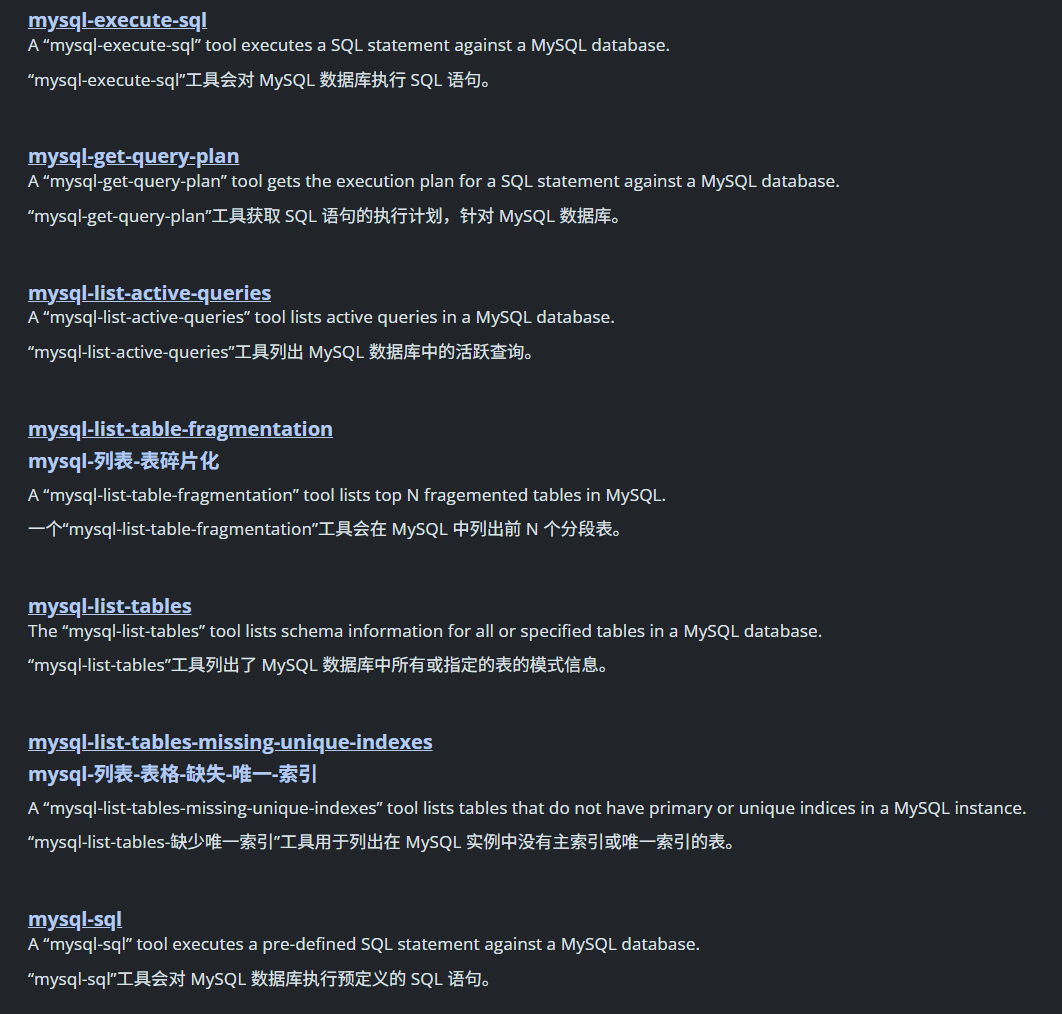
这里tools官方给每个数据源设置很多预设tool,也支持自定义,详情可看官方文档 (opens new window),按需配置即可
# 多数据源配置
sources:
  yuba:
    type: mysql
    host: 10.10.10.66
    port: 3306
    database: yuba
    user: toolbox_mcp
    password: toolbox_mcp
    # Optional TLS and other driver parameters. For example, enable preferred TLS:
    # queryParams:
    #     tls: preferred
    queryTimeout: 30s # Optional: query timeout duration
  my_redis:
    type: redis
    address:
      - 10.10.10.21:6379
    password: 123456

tools:
  execute_sql_tool:
    type: mysql-execute-sql
    source: yuba
    description: Use this tool to execute sql statement.
1
2
3
4
5
6
7
8
9
10
11
12
13
14
15
16
17
18
19
20
21
22
23
2
3
4
5
6
7
8
9
10
11
12
13
14
15
16
17
18
19
20
21
22
23
# MCP 配置
以Claude Code为例,在~/.claude.json文件中添加:
"mcpServers": {
	"dbToolbox": {
		"command": "D:\\dev\\claude-job\\mcp\\genai-toolbox\\toolbox",
		"args": [
			"--stdio",
			"--tools-file",
			"D:\\dev\\claude-job\\mcp\\genai-toolbox\\z1.yaml"
		]
	}
}
1
2
3
4
5
6
7
8
9
10
2
3
4
5
6
7
8
9
10
这种是自启动服务器,随着 CLI 开启启动和关闭,推荐这种
还有一种配置方式是:
"mcpServers": {
	"dbToolbox": {
		"type": "http",
		"http": "http://localhost:5000/mcp"
	}
}
1
2
3
4
5
6
2
3
4
5
6
这种需要另外手动启动mcp服务器
# 验证
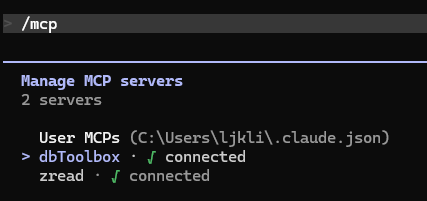
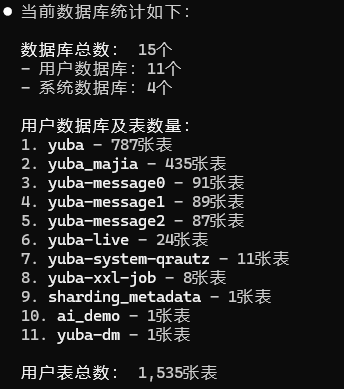
启动后使用/mcp,已连接就是启动了
问他现在库里有多少个数据库多少表
上次更新: 2026/04/26 23:12:04